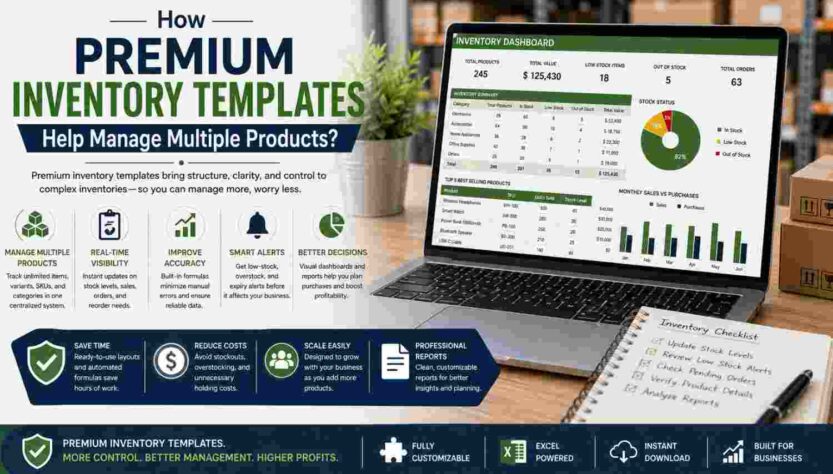
Managing many products becomes difficult when similar names, changing quantities, multiple suppliers, storage locations, and different reorder requirements share the same inventory process. Small inconsistencies can create duplicate records, unclear stock balances, or missed purchasing needs. A well-designed premium inventory template provides a structured way to organize product information, calculate stock movement, monitor reorder levels, and review multiple SKUs from one workbook. However, the template remains only as reliable as its inputs and maintenance. Accurate updates, clear product identifiers, controlled formulas, and periodic physical reconciliation remain essential for dependable inventory records.
What a Premium Inventory Template Does
A premium inventory template organizes product records, stock movements, purchasing details, supplier information, locations, and summary calculations within a predefined spreadsheet structure. Its practical value comes from reducing repetitive setup and giving users consistent fields for every product.
As product counts grow, that consistency becomes increasingly important. Similar product names, variants, multiple suppliers, and different units can otherwise make individual records difficult to distinguish.
Create a Consistent Product Record
A useful inventory spreadsheet may include:
- Product name and unique SKU
- Product ID, category, and subcategory
- Description and unit of measure
- Supplier and supplier reference
- Unit cost and selling price
- Opening stock and stock received
- Stock issued, sold, returned, or adjusted
- Current quantity and reorder level
- Preferred reorder quantity
- Storage location
- Last restock and expected delivery dates
- Product status and inventory value
- Notes relevant to stock management
Businesses should select fields according to operational needs. Adding unnecessary columns can make data entry slower and increase clutter. Conversely, omitting important identifiers or movement fields can make reconciliation harder.
Use SKUs to Separate Similar Products
Unique product identification becomes essential when an inventory contains multiple sizes, colors, models, packages, suppliers, or price points. A SKU provides a consistent reference that can distinguish items even when their product names look nearly identical.
No single SKU structure suits every operation. However, businesses should use a logical, documented system and avoid assigning one identifier to multiple distinct products.
Keep Product Identifiers Consistent
Consistent identifiers improve searching, filtering, sorting, and reconciliation. For example, two similar items may share a descriptive product family while carrying different SKUs because their sizes or packaging differ.
Before adding a new row, users should search existing records for the product name, SKU, supplier reference, or other identifier. Consequently, this simple check may reduce accidental duplicate records.
Data validation can also control certain identification fields. However, validation cannot determine whether a user assigns an incorrect but technically valid SKU. Human review still matters.
Organize Large Product Lists with Categories
Categories and subcategories divide a large inventory into manageable groups. Instead of reviewing hundreds of unrelated rows, users can filter records according to product type, department, product family, supplier, storage location, seasonal status, or operational status.
Consistent category labels matter because small naming differences create separate groups in spreadsheet filters and summaries.
Use Controlled Category Values
Dropdown lists can standardize frequently repeated fields such as:
- Category and subcategory
- Supplier
- Storage location
- Unit of measure
- Stock condition
- Active or discontinued status
- Seasonal classification
Data validation makes these entries more consistent. Moreover, standardized values support cleaner dashboards and summary reports because formulas can group records using predictable labels.
Nevertheless, users can still select the wrong valid option. Therefore, dropdowns support data quality but cannot replace accurate product classification.
Track Stock Movement Instead of Only Current Quantity
A current-stock column shows what the spreadsheet believes is available, but movement records explain how the balance changed. Recording receipts, sales, internal issues, returns, damages, write-offs, transfers, and corrections creates a more useful inventory history.
A basic stock calculation follows straightforward logic: opening stock plus received stock, minus issued stock, with appropriate positive or negative adjustments, produces the current recorded balance.
Record Incoming and Outgoing Inventory Promptly
Consider a product beginning with 40 units. The business receives 20 more, sells 15, and records two damaged units as a negative adjustment. The spreadsheet should reflect each movement rather than simply replacing the old quantity with 43.
That transaction trail makes discrepancies easier to investigate later. Additionally, separate movement worksheets can preserve detailed activity while the main product sheet displays current balances.
Users should establish clear rules for when stock movements get recorded and who performs the updates. Delayed entries can make spreadsheet quantities temporarily inaccurate even when every formula works correctly.
Use Formulas to Maintain Stock Calculations
Spreadsheet formulas can automate repetitive arithmetic across many products. Once configured correctly, formulas can calculate current quantities, approximate inventory values, reorder indicators, and summary totals from recorded data.
Automation reduces repeated manual calculations. However, it does not verify whether the underlying quantities are correct.
Protect Important Calculation Cells
Formula cells should remain visually distinct from input cells whenever possible. Protected cells can also reduce accidental overwriting during routine stock updates.
Useful spreadsheet functions may support:
- Current stock calculations
- Total units by category
- Approximate inventory value
- Low-stock indicators
- Counts by product status
- Supplier or location summaries
- Lookup of related product information
Lookup functions can retrieve information associated with a SKU or product ID from another worksheet. Consequently, users may avoid retyping the same product details in multiple places.
Formula transparency remains important. Users should be able to determine what a calculation measures and which fields feed it before relying on the output.
Plan Reorders with Defined Stock Levels
Reorder planning helps users identify products that may require purchasing attention before quantities become operationally problematic. A spreadsheet can compare current stock with a defined reorder level and visually flag records that meet specified conditions.
However, reorder settings require business judgment. Demand patterns, supplier lead times, storage capacity, purchasing policies, minimum order quantities, and expected deliveries can all affect an appropriate reorder decision.
Track More Than a Minimum Quantity
Useful reorder fields may include:
- Current quantity
- Minimum stock level
- Reorder point
- Preferred reorder quantity
- Supplier lead time
- Last purchase date
- Last restock date
- Expected delivery date
- Preferred supplier
- Purchase status
For example, conditional formatting can highlight a product when its current quantity falls below its recorded reorder level. That visual signal makes the item easier to identify among many SKUs.
Nevertheless, the alert cannot automatically prevent a stockout. Incorrect balances, unexpected demand, supplier delays, or unsuitable reorder settings can still affect availability.
Track Suppliers and Product Locations
Multiple products often involve several suppliers and storage areas. Supplier and location fields help users connect each item with its purchasing source and physical storage position.
Supplier records should focus on operationally relevant information rather than unnecessary confidential details. Meanwhile, precise location labels can make physical counts and product retrieval more organized.
Record Practical Supplier Details
Relevant supplier fields may include supplier name, supplier product reference, preferred supplier status, lead time, last purchase date, unit cost, minimum order quantity, and delivery notes.
A product may also have alternative suppliers. In that case, businesses need a structure that clearly identifies the preferred source without confusing supplier-specific pricing or references.
Define Storage Locations Consistently
Location fields can represent warehouses, retail areas, stock rooms, shelves, zones, or fulfillment areas. Consistent labels make filtering easier and help employees know where recorded inventory should physically exist.
However, highly complex multi-location operations can exceed the practical limits of manually maintained spreadsheets, particularly when many people update stock simultaneously.
Use Spreadsheet Tools to Review Many Products
A large inventory list becomes easier to review when users can isolate relevant records without scanning every row. Tables, filters, sorting, search tools, freeze panes, and summary sheets can improve navigation.
For example, a filter can display products from one supplier, category, warehouse, or stock status. Sorting can then arrange those records by current quantity, reorder level, cost, or last restock date.
Make Important Conditions Visible
Conditional formatting can flag:
- Low-stock products
- Out-of-stock records
- Reorder-required items
- Missing product information
- Discontinued products
- Records not updated recently
- Potential overstock conditions
Visual formatting supports attention rather than proving accuracy. Accordingly, users should inspect the underlying quantities, dates, formulas, and movement history before making purchasing decisions.
Freeze panes can keep headers visible while users scroll through long product lists. Similarly, consistent currency, number, date, and percentage formatting reduces interpretation problems.
Use Dashboards for Multi-Product Reporting
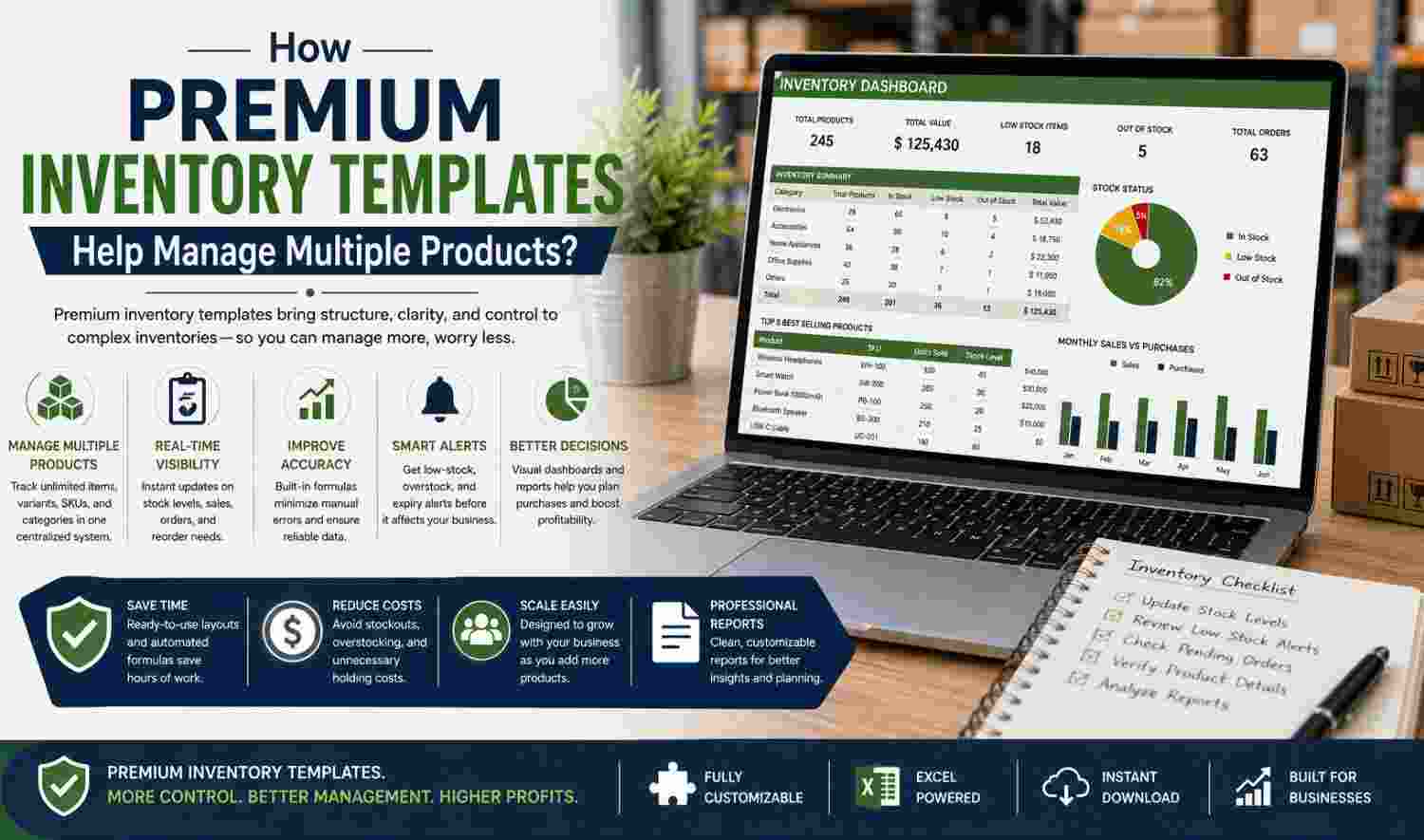
A summary sheet or basic dashboard can combine key inventory information from several worksheets. Users might review product counts, category totals, low-stock items, inventory values, or records by status without manually calculating each result.
Dashboards become useful when every displayed metric links clearly to reliable source data.
Keep Summary Metrics Traceable
A visually polished dashboard provides little value if users cannot determine how its figures were calculated. Therefore, summary calculations should use documented logic and consistent source ranges.
Filters or grouped summaries can help users compare product categories, suppliers, or locations. However, dashboards should remain focused on operational questions rather than displaying every available metric.
Estimate Inventory Value Carefully
An inventory spreadsheet can multiply recorded quantity by unit cost to provide a simple estimated inventory value. Users can then summarize those values across products, categories, suppliers, or locations.
However, such calculations do not automatically satisfy formal accounting, financial reporting, or tax requirements.
Separate Operational Estimates from Accounting Valuation
Inventory accounting can involve valuation methods, adjustments, write-downs, and other requirements beyond a basic quantity-times-cost calculation. Therefore, businesses should treat simple spreadsheet values according to their intended operational purpose.
The template should not replace required accounting records or professional advice when formal valuation questions arise.
Reconcile Spreadsheet Records with Physical Stock
Periodic reconciliation compares recorded quantities with products physically available. This process matters because a spreadsheet cannot independently verify whether every receipt, sale, return, transfer, damage, or adjustment was recorded correctly.
Physical counts or cycle counts can reveal differences that require investigation.
Follow a Consistent Reconciliation Process
A practical review can involve:
- Select the products or location for counting.
- Record physical quantities using consistent units.
- Compare counts with spreadsheet balances.
- Investigate meaningful differences.
- Check recent receipts, sales, transfers, and adjustments.
- Identify duplicate or incorrect product records.
- Record authorized corrections clearly.
- Review damaged or missing items.
- Update records after resolving discrepancies.
Reconciliation strengthens record quality because it connects spreadsheet data with physical inventory. Consequently, businesses should not assume that a calculated balance proves actual stock availability.
Avoid Common Inventory Spreadsheet Mistakes
Structured templates can reduce several organizational problems, but disciplined recordkeeping remains necessary. Errors can arise from data entry, incorrect formulas, delayed updates, inconsistent naming, or uncontrolled file management.
Users should treat inventory maintenance as an ongoing process rather than a one-time spreadsheet setup.
Watch for Recurring Data Problems
Common mistakes include:
- Assigning duplicate SKUs
- Mixing units of measure
- Missing stock receipts or sales
- Forgetting damages or adjustments
- Overwriting calculation formulas
- Creating duplicate product rows
- Using inconsistent category labels
- Ignoring reorder settings
- Keeping outdated supplier information
- Delaying quantity updates
- Failing to reconcile physical stock
- Maintaining multiple uncontrolled file versions
Validation, formula protection, duplicate checks, and clear update responsibilities may reduce these risks. Nevertheless, no spreadsheet control eliminates human error.
Evaluate Premium Templates by Functionality
The word premium should describe useful structure and functionality rather than simply a price. A paid spreadsheet can still contain confusing layouts, unsuitable formulas, limited customization, or features that do not match the business.
People who intend to buy inventory management excel template online in usa should examine formula transparency, stock movement fields, reorder tracking, compatibility, customization, scalability, and product-location support before making a selection.
Inspect the Template Before Regular Use
Useful evaluation criteria include:
- Logical worksheet organization
- Clear input and calculated fields
- Reliable, inspectable formulas
- Protected calculation cells
- Flexible product categories
- Data validation controls
- Low-stock indicators
- Reorder fields
- Supplier and location tracking
- Useful dashboards
- Clear instructions
- Software compatibility
- Appropriate scalability
- Easy customization
Users should test sample transactions before entering full inventory records. Additionally, formulas and dashboards deserve another check after structural customization.
Basic Templates Versus Feature-Rich Templates
A basic inventory spreadsheet may work perfectly well for a business with few products, one location, simple stock movements, and minimal reporting requirements. More features do not automatically create a better inventory process.
In contrast, a feature-rich template may provide greater practical value when users manage many SKUs, multiple categories, several suppliers, different reorder points, locations, inventory values, and summary reporting requirements.
Match Complexity to Operational Needs
Extra worksheets, formulas, dashboards, and automation create maintenance requirements. Therefore, businesses should choose enough functionality to support their process without creating unnecessary complexity.
A simple, accurate workbook can be more useful than an elaborate template that employees cannot maintain consistently.
Know When Dedicated Inventory Software Fits Better
Excel-based inventory management can suit small inventories, straightforward product lists, manual stock reviews, and smaller teams that value spreadsheet flexibility. Its accessibility also makes it practical for operations that do not require continuous automated updates.
As transaction volume and collaboration grow, however, manual spreadsheets may become harder to control.
Recognize Operational Limits
Dedicated inventory software may become more appropriate when businesses require real-time multi-user updates, barcode scanning, automated purchase orders, extensive integrations, advanced permissions, large product catalogs, detailed audit trails, or synchronized stock across many locations.
The appropriate choice depends on operational complexity. Excel does not need to imitate every specialized inventory function to remain useful for simpler environments.
Manage Files and Access Responsibly
Inventory accuracy can suffer when several uncontrolled spreadsheet copies circulate among employees. One person may update a receipt in one version while another records a sale elsewhere.
A controlled master file, clear editing responsibility, protected formulas, dependable backups, revision dates, and sensible access limits can reduce version confusion.
Maintain Clear Ownership
Businesses should determine who updates quantities, who approves adjustments, and which file represents the active record. Clear file names can also prevent employees from confusing archived copies with current records.
Backups remain important, but backup files should not become competing working versions.
Conclusion
Premium inventory templates can support multi-product management by organizing SKUs, quantities, categories, suppliers, locations, reorder information, movement records, and summaries within a consistent structure. Their usefulness depends more on functional design than price alone. Accurate inputs, timely updates, controlled formulas, clear ownership, and periodic physical reconciliation remain essential because templates cannot eliminate every inventory error. Smaller operations may find spreadsheets sufficient for practical stock control, while growing product catalogs, transaction volumes, locations, or collaboration needs may eventually justify a more advanced inventory system.
FAQs
Can Excel Manage Inventory for Multiple Products?
Yes. Excel can organize multiple products through individual rows, unique SKUs, categories, quantities, supplier fields, locations, and stock calculations. Filters and summary sheets can simplify larger lists. However, businesses must update records consistently, and highly complex or fast-moving inventories may eventually require specialized inventory software.
How Should Businesses Manage Multiple SKUs?
Each distinct inventory item should normally have a unique identifier that separates it from similar sizes, colors, models, packages, or variants. Businesses should document their SKU structure and apply it consistently. Before creating new records, users can search existing SKUs to reduce accidental duplicates and fragmented product histories.
How Can a Spreadsheet Identify Low Stock?
A spreadsheet can compare each product’s current quantity with its defined reorder level. Conditional formatting or a simple status calculation can then flag products meeting the selected condition. However, low-stock indicators depend on accurate quantities and appropriate reorder settings, so users should review the source information before purchasing.
What Is a Reorder Level in Inventory Tracking?
A reorder level is a quantity or operational threshold used to signal when purchasing attention may be necessary. Businesses should set it according to demand, supplier lead time, storage capacity, purchasing policies, and other relevant factors. A spreadsheet can monitor the threshold, but it cannot guarantee uninterrupted stock availability.
Can Excel Track Inventory from Multiple Suppliers?
Yes. Supplier fields can connect products with preferred suppliers, supplier references, unit costs, lead times, minimum order quantities, and purchasing dates. When one product has several possible suppliers, the workbook needs a clear structure for distinguishing those sources. Users should keep supplier information current for useful purchasing reviews.
Can an Inventory Template Track Multiple Locations?
Yes. Location fields can identify warehouses, retail areas, storage rooms, shelves, zones, or other stock positions. Users can filter records by location and compare quantities where the workbook supports separate balances. Complex operations requiring synchronized real-time updates across many locations may benefit from specialized inventory software.
How Should Products Be Categorized in Excel?
Businesses can group products by type, department, product family, supplier, location, seasonal status, or another operationally useful classification. Consistent category names matter more than creating numerous groups. Dropdown lists can standardize entries, while subcategories can provide additional detail when a single category level becomes too broad.
Can Excel Calculate Total Inventory Value?
Excel can calculate a basic inventory value by multiplying recorded quantities by corresponding unit costs and summing the results. This can support operational reporting. However, formal accounting or tax valuation may involve methods and adjustments beyond simple spreadsheet calculations, so operational estimates should not automatically replace required financial records.
Why Is Physical Stock Reconciliation Necessary?
Physical reconciliation checks whether spreadsheet quantities match products actually on hand. Differences can result from missed receipts, unrecorded sales, damages, transfers, incorrect adjustments, duplicate records, or counting errors. Regular physical or cycle counts help users identify discrepancies that spreadsheet formulas cannot detect independently from recorded transaction data.
When Should a Business Move Beyond Excel Inventory Tracking?
A dedicated system may become more suitable when inventory operations require real-time multi-user updates, barcode scanning, automated purchasing, advanced permissions, extensive integrations, large catalogs, detailed audit trails, or synchronized multi-location stock. Excel can remain practical for simpler processes, but increasing operational complexity can make manual spreadsheet control difficult.